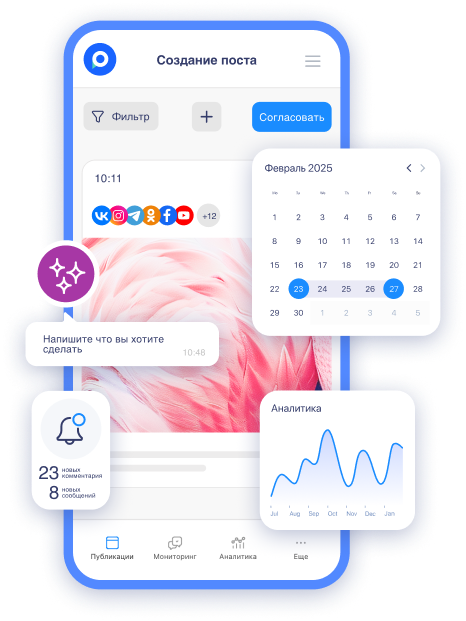
Our service allows for flexible customization of content workflow stages, fully adapting them to your work process. You will be able to personalize each step according to your tasks and the specifics of your team.
In this guide, we will explain in detail how to set up the stages and also explore popular scenarios for different types of teams. For example, for large teams with a multi-level content workflow, for small teams where stages are arranged linearly, or for individual use to organize solo work.
How to set up stages?
-
Go to the "Workflow" section.
-
Click "Create Stage".
-
Give the stage a name and choose the transition logic
-
Action backward: to the previous step, any stage, or a specific one (e.g., only for revision).
-
Action forward: to the next step, any stage, or a specific one.
Each stage is a separate column on the board. You can move posts between stages with just a click of the mouse. The whole team can see which stage each post is in, who is responsible for what, and what needs to be done next.
After publication, you can respond to comments, gather analytics, and track results—all in one service. No unnecessary tools, no confusion. Just a convenient and clear process from start to finish.
Setting up approvals
Click "Set up approvals" and select the desired strategy.
-
Optional approval — requested manually, only when needed.
-
Mandatory approval — after a certain stage (e.g., post creation), content is automatically sent for review. In this case, the post must be approved by at least one person with the appropriate rights.
-
Multi-level approval — divided into stages (e.g., text → design → final approval by client). For each stage, responsible persons need to be assigned.
Flexible scenarios for any workflow
Setting up stages is always individual and depends on project tasks. To show how flexible workflows can be, let’s examine several typical scenarios—from solo work to multi-level interactions in large teams.

Solo work
-
Post creation — ideas, drafts, plans.
-
Revision — unedited texts, materials for review.
-
Scheduled — posts waiting for publication.
-
Published — released materials.
It might seem that if you are creating content solo, you can just write a post and schedule it right away. Why add unnecessary steps? But in practice, it often turns out differently.
Suppose you created a post, but it’s not ready for publication yet: you need to add a link or clarify details. If you leave it in "Scheduled," there is a high chance you will forget to make the edits, and the post will be published unedited.
With stages, it’s simpler: instead of scheduling unfinished material, you send it for revision. This way, you will definitely not miss anything, and when the post is fully ready, you will move it to "Scheduled."
Small teams (linear process)
-
Drafts — unfinished posts.
-
Approval — awaiting review.
-
Scheduled — waiting for publication.
-
Published — completed posts.
When there is a lot of information and few people, it’s easy to get confused. Who has checked what? What is ready and what is stuck in approval? Without a system of stages, these questions are resolved through long and tedious discussions in chats.
Stages eliminate confusion. If you have clear statuses — draft → approval → scheduled → published — everyone can immediately see where each specific post is.
Large teams (multi-stage work)
Here, individual setup is especially important. For example: Post creation → revision → design creation → visual editing → approval (by marketer → tech specialist → director → client).
Imagine a group chat where a copywriter, designer, marketer, and client are all writing at the same time. One says the text is ready, another asks to change fonts, the third reminds that it needs to be approved. Messages multiply, important edits get lost, and in the end, no one is sure of the post’s status.
When you have a clearly structured sequence of stages from content creation to final approval, each participant in the process knows their tasks. The designer sees which texts need to be formatted. The marketer understands which posts are awaiting their review.
Conclusion
If you haven't set up content workflow stages yet, start right now. This simple action will improve the transparency of processes and help better organize tasks.
An effective workflow is not just about tracking statuses. It becomes a powerful tool for:
-
Planning team workload.
-
Resource distribution.
-
Increasing productivity.
This approach is especially important for teams that want to achieve maximum efficiency in content creation.
If you have ideas or suggestions for improving the service, let us know! Go to the "Share an Idea" section, leave your thoughts, vote for updates, and join the discussion.