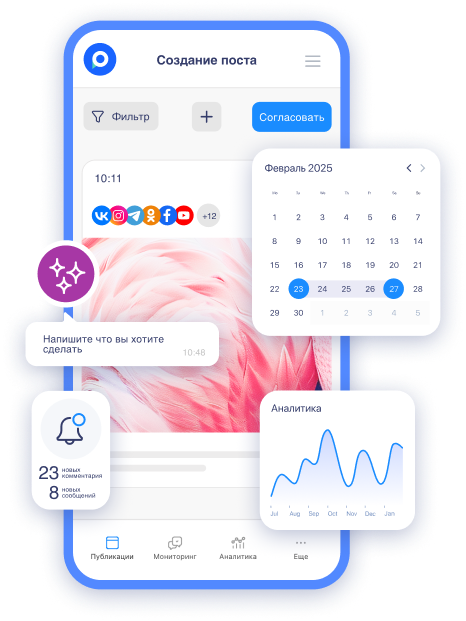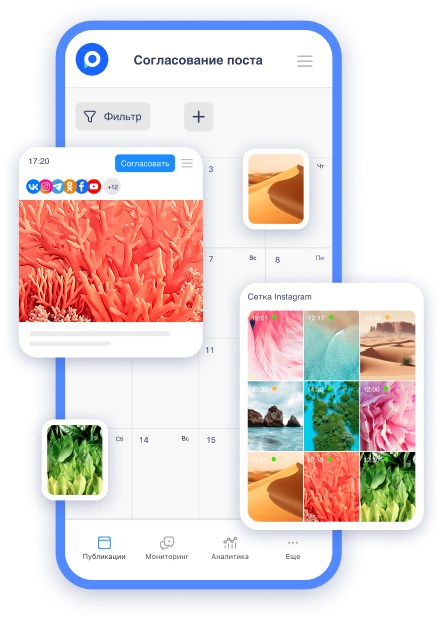
At Postmypost, there is a serious update specifically for those whose business thrives on Instagram* Reels. We have added a trial mode – now you can fully control who sees your video and when. You no longer risk your followers' feed, don’t worry about “what if it doesn’t work,” and can calmly test any ideas on a cold audience.
This is not just a checkbox in the settings. It is a growth tool that, as of 2026, helps SMM specialists and bloggers gain new followers 2-3 times faster without annoying their current audience. Let’s figure out how it works, why it is needed, and how to use it specifically in Postmypost.
What is the Trial Reels mode and why did Instagram* introduce it?
In 2025-2026, Instagram is actively testing the “Trial Mode” (Trial Reels). The concept is simple:
-
You create Reels as usual.
-
Before publishing, you turn on the “Trial Mode.”
-
The video is only seen by a cold audience (people who are not following you).
-
Your current followers will not see it at all.
-
Instagram* analyzes the initial reactions and, if the video “works,” starts promoting it further.
-
At any moment, you can make the video public with one click (“Share with Everyone”).
This is perfect for:
-
Testing bold ideas that may scare off loyal followers.
-
Launching 5-10 videos a day without the risk of “spamming” the feed.
-
Discovering new formats and topics that truly work for attracting an audience.
The result for businesses and blogs: new followers come from those who actually liked the content, not from “random” views in the feeds of old followers.
How to enable Trial Reels mode directly in Postmypost (step by step)
We have integrated the function natively – it is now available in the familiar editor. No additional applications or manual copying required.

-
Create or select Reels in the “Publications” → Instagram* section.
-
Upload the video, text, music, hashtags – everything as usual.
-
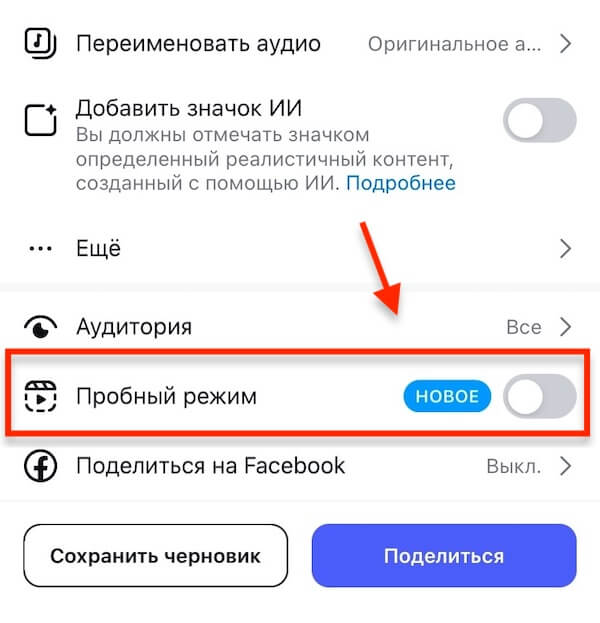
A new toggle “Trial Mode” will appear in the “Publication Settings” block.
-
Turn it on and select the publishing time (or schedule it).
-
Publish. Postmypost will automatically send the “trial mode” flag to Instagram*.
-
In Postmypost analytics, you will see separate statistics: reach of the cold audience, initial reactions.
Done! Everything in one window: from idea to output control.
How to switch Reels from trial mode to regular
When a video in trial mode has already gained good initial reactions, you can make it visible to all followers at any moment. In Postmypost, this is done very simply. When you publish a reel in trial mode – just choose the appropriate option to switch it to regular.
According to Instagram* settings, the video will start showing to your current audience, and the algorithm will receive an additional signal for further promotion. Everything happens automatically, without the need to re-upload the video.
Recommendation: switch the video to regular mode within 24-48 hours if you see a growth in reach and positive reactions from a cold audience. This maximizes the effect.
Usage examples: real cases from SMM experts
Example 1. Fitness blogger
Wants to test a new format “15-second workout with a mat.” In regular mode – risk of losing followers. In trial mode – the video reaches a cold audience. In 3 days, 120k views, +800 followers. Then he makes it public – already with a built-in boost.
Example 2. Clothing store
Tests trendy colors of the season that may not resonate with the old audience. 7 trial Reels in a week – 3 “took off.” Now they know exactly what to sell next month.
Example 3. SMM agency
Manages 12 accounts. Instead of 1-2 risky videos per week, now launches about 10 in trial mode. Analytics in Postmypost shows which topics work for each account.
Recommendations: how to maximize the trial mode
To not just test but also grow, follow these rules:
-
Test 5-10 videos a day – Instagram* allows this specifically in trial mode.
-
First, launch old “successful” videos with minor edits (different text, speed, title). They often take off again with a cold audience.
-
Analyze the first 24-48 hours. If reach is growing – immediately switch to public access. If not – keep it in trial or delete.
-
Combine with AI Postmypost. Generate scripts and ideas specifically for the “cold” audience – as we discussed in the article AI Tools for SMM in 2026: What Really Works and What Wastes Time.
-
Integrate into your overall strategy. Trial mode is not a one-time feature, but part of the funnel. Read more in our guide SMM Strategy in 2026: Development and Stages of Promotion in Social Networks.
-
Keep an eye on trends. In 2026, “imperfect” content and closed communities are gaining traction – use trial mode to test such formats. We have gathered all 8 relevant directions here: Content Trends 2026: 8 Directions Changing the Game Right Now.
Conclusion: now Reels work for you, not the other way around
Trial mode + Postmypost = complete control over content output. You no longer guess “will it work or not,” but calmly test, analyze, and scale only the winners.
Try it right now: go to the editor, create a test Reels, and enable the corresponding mode. 7 days for free, no card required.